You've finally convinced a happy customer to record a video testimonial. They hit record, smile into the camera, and then… freeze. "So, um, yeah… I like the product. It's good." Not exactly the glowing endorsement you were hoping for.
The difference between a flat, forgettable testimonial and one that actually converts prospects often comes down to one thing: the video testimonial script or prompt you give your customer. Without the right guidance, even your biggest fans will struggle to articulate why they love what you do.
In this post, you'll get 10 proven prompts that draw out specific, emotional, and persuasive responses — the kind that build real trust with potential buyers.
Why Most Video Testimonials Fall Flat
Before we dive into the prompts, it helps to understand why so many customer videos miss the mark. The problem usually isn't enthusiasm — it's direction.
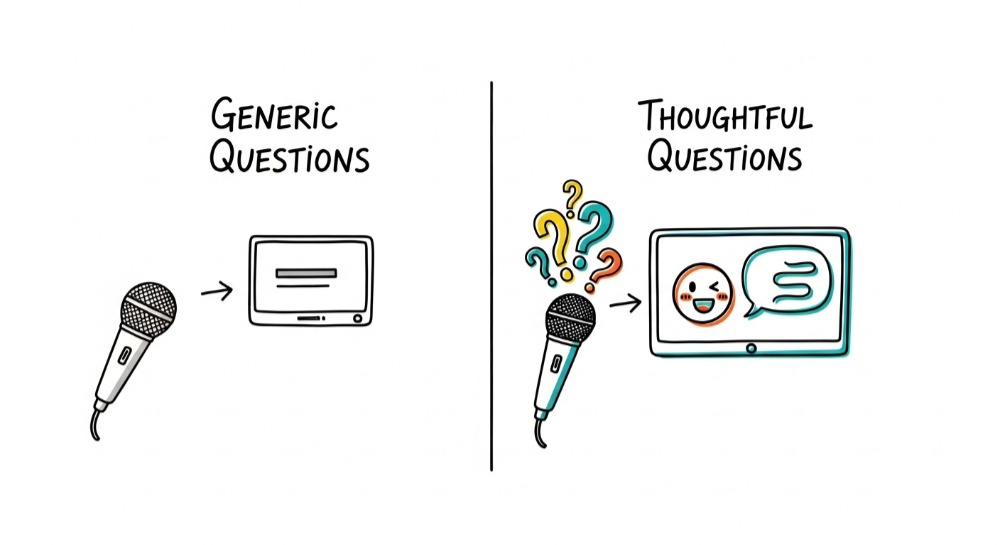
When you ask someone to "say a few words about your experience," you're giving them a blank canvas with zero structure. Most people aren't comfortable on camera, and open-ended requests trigger one of two responses:
- The generic compliment. "Great product, great team, highly recommend!" This tells viewers nothing specific.
- The rambling story. Five minutes of context with no clear takeaway, no emotional hook, and no mention of actual results.
Research from Wyzowl's 2024 Video Marketing Statistics report shows that 79% of people say video testimonials have convinced them to buy software or an app. But that only works when the testimonial contains concrete details. A vague "it's great" doesn't move the needle. For more on why this format outperforms text, see why video testimonials work.
A well-crafted video testimonial script solves both problems. It gives the customer a clear direction while leaving room for authentic, unscripted emotion.
How to Use These Prompts Effectively
Before we get to the 10 prompts, here are a few best practices for getting the best footage:
- Send prompts in advance. Give your customer 24–48 hours to think about their answers. Spontaneous responses are fine, but preparation leads to sharper, more confident answers.
- Ask for one idea per clip. Instead of a 10-minute monologue, ask your customer to record a 30–90 second answer per prompt. This makes editing easier and keeps each video focused.
- Encourage storytelling, not rehearsing. Tell them to speak naturally — like they're explaining the product to a friend over coffee.
- Record in a quiet space with good lighting. Even the best script falls flat if the audio is muffled or the video is dark. For the full production workflow — recording, editing, and publishing — see our video testimonial production guide.
Now, let's get into the prompts.
Prompts 1–3: Setting the Scene with the Problem
These prompts anchor the testimonial in a real struggle your customer faced. Prospects need to see themselves in the story before they'll trust the solution.
Prompt 1: "Before using [product], what was the biggest challenge you were dealing with?"
This pulls out the pain point. The more specific and relatable the problem, the more powerful the testimonial. Example response you're hoping for: "We were spending 12 hours a week manually pulling reports from three different tools. It was exhausting and error-prone."
Prompt 2: "How did that challenge affect your day-to-day work or life?"
This adds emotional weight. It's one thing to say "reporting was slow." It's another to say "I was staying until 8 PM every Friday just to get numbers ready for Monday's meeting — and I was missing my kid's soccer games."
Prompt 3: "What had you tried before, and why didn't those solutions work?"
This preempts objections. If your prospect has tried other tools and failed, hearing a customer describe the same journey builds instant credibility. It also positions your product as the answer to a pattern, not just a one-off problem.
Prompts 4–6: Highlighting the Turning Point and Solution
Now that the problem is clear, these prompts guide the customer into describing the moment things changed.
Prompt 4: "What made you decide to try [product] specifically?"
This reveals the trigger — was it a referral, a blog post, a free trial? It also subtly reinforces that real people are actively choosing your solution for deliberate reasons.
Prompt 5: "Walk me through what the first week or first experience was like."
First impressions are persuasive. If a customer says, "I had it set up in 20 minutes and immediately saw where all our time was leaking," that's far more compelling than "onboarding was easy."
Prompt 6: "What surprised you most about using [product]?"
Surprise signals exceeded expectations. Responses here often surface benefits you wouldn't have thought to highlight yourself — things like unexpected integrations, a feature that solved a secondary problem, or customer support quality that blew them away.
Prompts 7–9: Delivering Results and Social Proof
Results are where skeptics become buyers. These prompts push customers to quantify and describe outcomes.
Prompt 7: "What specific results or improvements have you seen since using [product]?"
Numbers are gold. "We cut our onboarding time from three weeks to four days" or "We went from 200 to 1,200 testimonials collected in six months" give prospects something tangible to hold onto. Encourage customers to cite real metrics.
Prompt 8: "How would you describe [product] to a colleague or friend?"
This produces natural, quotable language. It's also a great way to surface unexpected value propositions. When a customer says, "It's like having a trust-building machine that runs in the background," that's marketing copy you can't write yourself.
Prompt 9: "What would your work or life look like if you had to stop using [product] tomorrow?"
This is a powerful loss-aversion question. When someone says, "Honestly, I'd panic — it would set us back months," it signals deep dependency on your product in the best possible way.
Prompt 10: The Strong Close
Prompt 10: "If someone is on the fence about trying [product], what would you say to them?"
This is your call-to-action moment, delivered by a real customer instead of your marketing team. It's the most direct form of social proof you can get. Keep this one for the end of the video — it leaves the viewer with a clear recommendation.
Putting It All Together
You don't need to use all 10 prompts in a single testimonial. Pick 3–5 that match your goals:
- Building awareness? Focus on prompts 1–3 (the problem).
- Driving conversions? Prioritize prompts 4–6 (the solution) and 7–9 (the results).
- Overcoming objections? Use prompts 3, 7, and 10 together.
Once you have the footage, organize and showcase it where it matters most. Tools like Say About Us make it simple to collect video testimonials, create a Wall of Love, and embed testimonial widgets on your site — so those carefully scripted responses actually get seen by the people who need to see them. If you need more prompt ideas beyond these 10, our video testimonial question library covers scripts for interviews.
Final Thoughts
A great video testimonial doesn't happen by accident. It starts with the right questions. By giving your customers a clear, thoughtful video testimonial script — even just a handful of the prompts above — you'll transform nervous, generic responses into persuasive stories that build trust and drive action.
Start by picking three prompts, sending them to your happiest customers, and seeing what comes back. You'll be surprised how much better the results are when people know exactly what you're asking them to say.
Start collecting Testimonials with Say About Us on the free plan — no credit card required.


 Ask ChatGPT
 Ask Claude
 Ask Perplexity
 Ask Grok