Building a site on Framer or Next.js usually means you care about performance and design. You want things to look sharp and load fast. The last thing you want is a clumsy plugin dragging down your Lighthouse score or breaking your layout.
But you still need social proof. Here is how to handle testimonial widgets for modern stacks without writing custom CSS from scratch.
The Problem with Standard Embeds
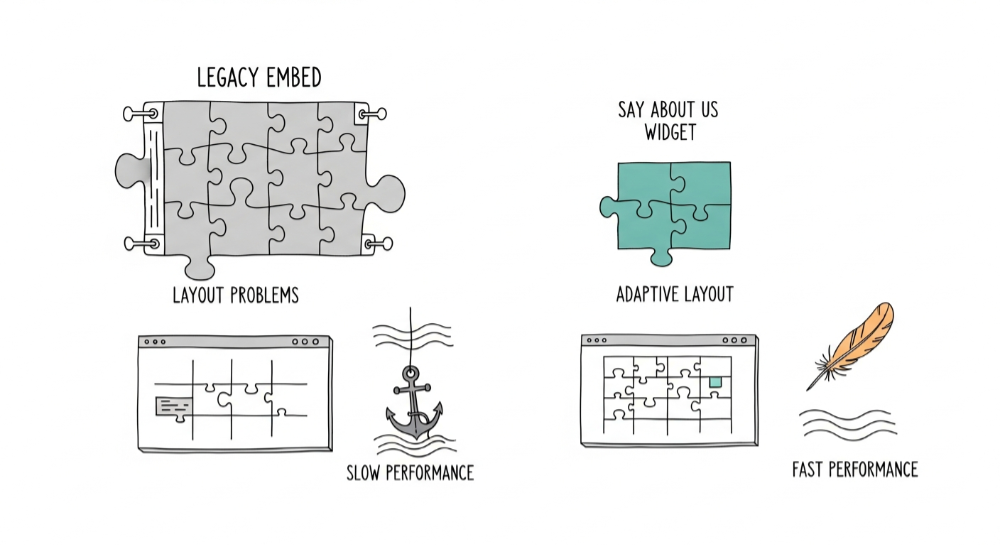
Most legacy testimonial tools give you a heavy iframe. When you drop that into a React environment like Next.js or a design tool like Framer, it often refuses to resize correctly. You end up with scrollbars within scrollbars or massive white space gaps.
Common issues:
- Fixed height iframes that don't adapt to content
- Render-blocking scripts that tank your Lighthouse score
- Hydration errors in React/Next.js
- Style conflicts with your existing CSS
- Mobile responsiveness failures
The Solution for Framer Users
Framer is visual. You need a widget that behaves like a native component.
Step-by-step setup:
- Generate your widget: In Say About Us, create your Wall of Love or Carousel layout
- Copy the embed code: Click "Get Embed Code" in your dashboard
- Add to Framer: Press
Eto drop an Embed component - Paste the code: Add the script to your Embed component
- Configure sizing:
- Width: Set to "Fill" (100%)
- Height: Set to "Fit Content"
Pro tip: Setting height to "Fit Content" ensures the widget pushes your footer down naturally as more reviews load, rather than getting cut off or showing scrollbars.
Troubleshooting Framer:
- If the widget doesn't appear in preview, publish and check the live site
- Use "Fit Content" not a fixed pixel height
- Avoid nesting the embed inside containers with
overflow: hidden
The Solution for Next.js Developers
If you are coding in Next.js, you hate render-blocking scripts. Here is how to add testimonials without killing your performance.
The wrong way (causes hydration errors):
// Don't do this
<script src="widget.js"></script>
The right way:
import Script from "next/script";
export default function Testimonials() {
return (
<div id="sayaboutus-widget">
<Script src="your-widget-url" strategy="lazyOnload" />
</div>
);
}
Why lazyOnload matters:
- Keeps your initial paint fast
- Testimonials load only when needed
- No impact on Core Web Vitals
- No hydration mismatches
Widget Performance Comparison
| Tool | Bundle Size | Lazy Loading | Responsive |
|---|---|---|---|
| Say About Us | ~15KB | ✅ Yes | ✅ Yes |
| Testimonial.to | ~45KB | ⚠️ Partial | ✅ Yes |
| Custom iframe | Varies | ❌ No | ⚠️ Manual |
Why We Kept Our Widget Lightweight
We built our widgets to be code-agnostic. Whether you are dragging and dropping in Framer or optimizing server components in Next.js, the Say About Us widget is designed to render cleanly.
Technical specs:
- Under 15KB compressed
- No jQuery dependency
- CSS isolation (won't conflict with your styles)
- Responsive by default
- Adapts to container width automatically
It adapts to your container, not the other way around. Keep your site fast.
Start collecting Testimonials with Say About Us on the free plan — no credit card required.



 Ask ChatGPT
 Ask Claude
 Ask Perplexity
 Ask Grok