Written reviews are good. Video reviews are gold.
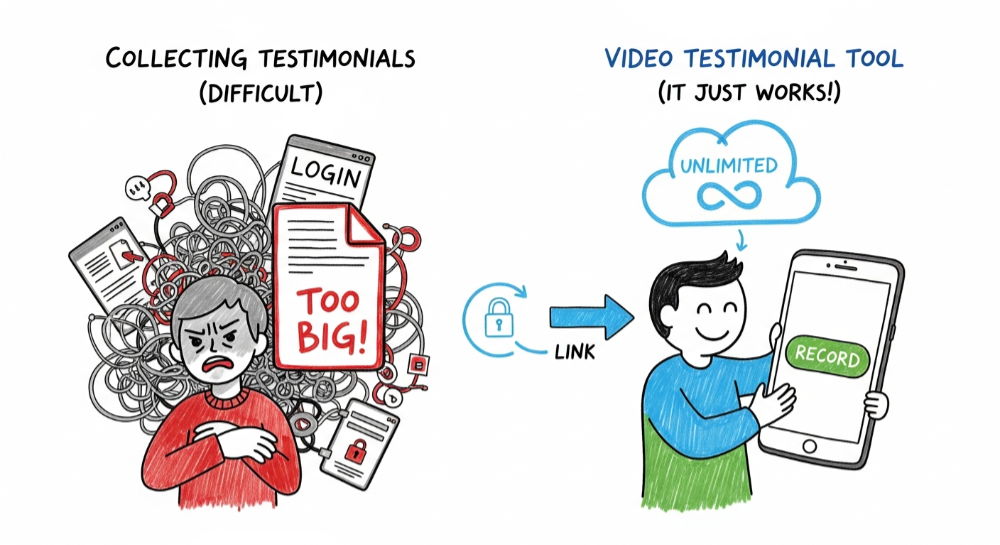
Seeing a real human face creates a psychological connection that text simply cannot match. But collecting them is usually a technical nightmare.
Customers do not want to record a video, save the file, login to email, and attach it. The file sizes are too big, and the friction is too high. You need a specialized video testimonial tool to handle the heavy lifting.
5 Must-Haves for Video Testimonial Tools in 2026
When evaluating tools, ignore the flashy marketing and check for these technical requirements:
1. No-Login Recording
Your customer should be able to click a link and record immediately. If they have to create an account or download an app, you have already lost them.
Why it matters: Every extra step adds friction, and friction measurably kills completion. Baymard Institute research has tracked a 70%+ cart abandonment rate for years, driven largely by unnecessary form fields and signup walls — a signup wall turns a 2-minute task into a 10-minute commitment.
2. Mobile Compatibility
Most people will record on their phones. The tool must work flawlessly in a mobile browser. If it lags or asks for complex permissions, your conversion rate drops.
What to test:
- Does it work in Safari on iOS? (Many tools don't)
- Does it request camera permissions cleanly?
- Can they record in portrait and landscape?
3. Hosting and Storage Limits
This is the hidden trap. Many tools charge you based on "video minutes" or bandwidth. Video files are heavy. If you get 20 high-quality videos, you might blow through the limits of a starter plan instantly.
Red flags:
- "X minutes of video" in the pricing
- Bandwidth overage charges
- Video quality limits on lower tiers
4. Automatic Compression
Raw video files are massive. A 2-minute iPhone video can be 500MB+. Good tools compress videos automatically while maintaining quality. Bad tools make you handle this yourself. Learn the full production workflow for video testimonials so your files stay crisp without slowing your site.
5. Easy Embedding
Once you have videos, you need to display them. Look for tools that give you:
- Embed codes for any website
- Widget customization (colors, layout)
- Responsive designs that work on mobile
For a full rundown of placement options, see how to display customer reviews on your website.
Quick Comparison: Video Testimonial Tools
Prices checked mid-2026 and subject to change — always confirm on the vendor's pricing page before committing.
| Tool | No-Login | Mobile | Unlimited Storage | Starting Price |
|---|---|---|---|---|
| Say About Us | ✅ | ✅ | ✅ | Free plan |
| Testimonial.to | ✅ | ✅ | ❌ Limited | $25/mo (Starter) |
| VideoAsk | ❌ | ✅ | ❌ Limited | $30/mo |
| Loom | ❌ | ⚠️ Partial | ❌ Limited | $15/mo |
| Manual (email) | N/A | N/A | ✅ | Free |
Why We Built Say About Us
We saw these traps and removed them. With Say About Us, your customers click one link to record. It works on any device. And most importantly, we do not cap your storage or bandwidth. You can collect ten videos or a thousand. We handle the hosting so you can focus on the selling.
The workflow:
- Create a collection link in your dashboard
- Send it to your customer
- They click, record, submit (no login)
- Video appears in your dashboard
- Approve and embed on your site
Don't overcomplicate it. Give your customers a link, let them talk, and watch your conversion rate climb.
Start collecting Testimonials with Say About Us on the free plan — no credit card required.

 Ask ChatGPT
 Ask Claude
 Ask Perplexity
 Ask Grok